

How to use Canva to create business documents

How to use Canva to create business documents

How to use Canva to create business documents

Canva has traditionally been used to create social media posts, social profiles, logos, business cards, but Canva can also help you create beautiful Branded documents for your business that will give you credibility and build trust.

My website and business proposals need a re-design as they were made in Word, so I am going to show you how to make beautiful business documents in Canva.

If you are not yet using Canva, then I recommend signing up for a free account today and just have a play with it. It is super light and easy to use and with the help of the Canva Gurus on YouTube you will be up and running in no time.

If you don’t have the time or inclination to learn, reach out and I will help you with the designs.

Here are a few of my favourite documents I make in Canva today.

Create your Brand Kit for your documents

The first thing to do is to create a Brand Kit for your projects so all the documents are consistent and professional.

The Brand Kit lets you set colours, fonts, and ensures all your work will look and feel consistent.

Free Document Creator

Canva Docs is a free online document maker that will help you craft any document in your branded style. That is amazing.

You can even collaborate by creating a team to work together on projects so you can share your documents with others in your team, or rather than emailing the document you can share it directly from Canva.

Use the prebuilt templates

Don’t make life hard when so many great designers are doing the initial work for us. All we need to do is pick a design that works and then adapt it to fit our brand and purpose.

Select Create, pick what you want to work on then select template, then you can search for a topic such as food, weddings etc.

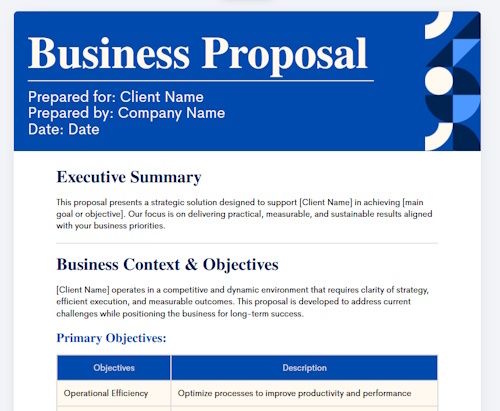
Business Proposal

Use Magic Write

Magic Write is an AI tool to help you draft text content for your document. It can also create graphics and images.

Customize the design

Your documents need to reflect your brand so customers associate your documents with our business at first glance. Its about gaining that trust that you are selling the vision and being authentic.

People need to know you are the real deal.

You do not need to be a designer to create professional documents.

Design tips and recommendations

Keep it simple, not too many colours, fonts or clutter, just simple fonts people can read and is easy on the eye.

Good use of headings, good use of space and make sure everything aligns propertly. Left alignment looks better than centered alignment in most cases.

  1. Headings – big to small
  2. Text font size – not too big or small
  3. Good use of images and graphics, but keep them small
  4. Ensure contact details are on the document
  5. page numbers (if more than one page)
  6. Highlight important points
  7. Good use of bullet points

What documents can I make in Canva?

Here are a selection of documents you can make in Canva:

  • Contracts
  • Business and work Proposals
  • Onboarding instructions
  • Client Welcome letters
  • Feedback Forms
  • Project Update Reports
  • Invoice Templates
  • Data reports
  • Sales documents
  • Resume

The above is a selection of potential uses for Canva documents but it is not a full list as the document tool could be used for any kind of document.

Conclusion

I highly recommend anyone running a business learn to use Canva and use it for all business marketing material. You can even create website designs to hand to your web developer. Canva can really help you gain trust and credibility with clients and prospects when your documents align with your website and business proposition. With Canva you already have documents created by professional designs to use and adapt to your business branding just be adding your logo and change the colour and fonts in most cases it will be that simple.
Top alternatives to Elementor for WordPress 2026

Top alternatives to Elementor for WordPress 2026

Historically I have been using Elementor page builder to build websites but I am now actively looking for alternatives not linked to Israel.

I can not run by ethical business knowingly using products and services associated with Genocide and crimes against humanity.

Wix is also associated with Israel, so if you want to boycott Israel then the alternative to a hosted service is Squarespace, Webflow, Weebly or move to WordPress.

Here are 14 solid alternatives to Elementor for building WordPress websites that I will be using and recommending to my customers:

1. Gutenberg (WordPress Block Editor)

Gutenberg is the free block building WordPress editor. WordPress offers themes as a base to create great whizzy websites if you can get to grips with it.  Gutenberg lets you design headers, footers, page templates, and site-wide styles providing theme-building capabilities without needing a separate plugins. This is a great solution for simple, light weight advertising websites.

2. Divi Builder

Divi is my go to website builder as it is eady to use, modern in design with lots of YouTube tutorials to help with specific styling.

The Divi Builder gives you freedom to create different headers, footers and bodies and assign them to different pages.

The pricing is good and I like the community of Divi users.

3. Beaver Builder

Beaver Builder is built for freelancers and agencies for its clean code known for producing exceptionally clean code and being a light weight solution.

4. Bricks Builder

Bricks Builder is new to me but is growing in popularity. It is a visual site builder theme for self hosted websites. It looks really cool so definitely worth having a look at. A good option for those with my coding knowledge who look for performance over design and build complex sites professionally. It has a steeper learning curve but gives excellent results.

5. Breakdance

Breakdance was developed by the creators of the Oxygen builder, with marketing heavily focused on improvements over Elementor — making it a popular alternative for agencies and freelancers. The Pro plan is $199/year for unlimited sites and includes priority support.

6. Oxygen Builder

Oxygen completely disables the traditional WordPress theme system, giving users absolute control over design and code output, and generates very clean, efficient code — often resulting in top-notch performance. It uses a lifetime pricing model (one-time payment), making it cost-effective long-term for users building unlimited websites.

7. Kadence Blocks

Kadence Blocks works with the native Gutenberg editor, offering a cleaner, faster alternative to Elementor. It intelligently loads only the assets for blocks actually in use, which is great for site speed and Core Web Vitals.

8. SeedProd

SeedProd includes 90+ pro blocks and over 300 templates for landing pages, coming-soon pages, and webinars. You can also create full site layouts including headers, footers, and archive templates without writing code.

9. Brizy

Brizy features a drag-and-drop editor with inline toolbars and includes an alternative to the Elementor Pro theme builder, allowing you to create custom layouts for blog pages and posts. It also supports custom fields plugins like ACF and Toolset.

10. Thrive Architect

Thrive Architect is one of the most widely used landing page builders and is particularly recommended for those wanting to take complete control of their site design, especially for conversion-focused marketing sites.

11. Croco block

Crocoblock is an ultimate toolkit of Jet Plugins (a modern set of tools) for building a website on WordPress without writing a single line of code

Coming to the tool, Crocoblock is an all-in-one business box of 20 Jet plugins, 60+ templates, 200 widgets and 80+ popups to create the website design you dream of with the eye-candy effects.

12. Visual Composer

Before Elementor became so popular we used Visual Composer to create websites.

Visual Composer is a freemium (offers both free and premium versions) drag and drop builder.

The free version is adaquate for building advertising and simple websites.

13. WPBakery

Many of my websites use WPBakery which was the website builder that I was using into Elementor flooded the market.

WPBakery offers a simple and easy to use back end and front end editor for building pages and sections of your website.

There is a huge community of freelancers and influencers that use WPBakery.

Codecanyon has recorded WPBakery 4,00,000+ sales until now. This makes sense, as to why you should take try this amazing plugin.

Key Features include: predestined layouts, add-ons, flexible row layouts.

14. Themify Builder

Though Themify Builder has some limitations, such as it doesn’t have box-shadow, hover effects, or gradients; it is still a well regarded website builder.

The great part of this plugin is its live preview editing feature in front of your eyes without writing a single line of code.

Most of all, Themify Builder plugin stands for tons of premium features other than free Elementor alternatives.

Conclusion

To be a vegan you must not eat animal products, to be an ethically driven business you must not use and promote good and services associated with war on civilians and genocide.

There are many alternatives which I will use in my business and promote to my customers. I will be testing most of these to a platform to maintain fast, light weight sites that are easy to use and easy to manage for my non technie customers.

Kadence Blocks and Gutenberg are great choices for lean and uncluttered websites.

For larger projects Bricks Builder and Beaver Buider offer a good investment.

Don’t get locked into a subscription that you do not need. Many of these solutions are free to use, you just pay for hosting.


Monday.com overview for small business in 2026

Monday.com overview for small business in 2026

An honest, thorough look at what Monday.com does, what it costs, where it excels, and where it falls short — so you can decide whether it’s the right fit for your team.

I wanted to take a look at Monday.com and see if it was a model would work for me and my customers. A cloud based CRM is a very useful business tool when working on projects with multiple people. Working as a freelancer there maybe better options.

What is Monday.com?

Monday.com is a cloud-based work management platform that helps teams plan, track, and collaborate on projects using visual boards. Think of it as a highly customisable digital workspace where every task, deadline, and team member is visible at a glance.

Originally launched as a simple project tracker in 2012, it has grown into what the company now calls a “Work OS” — a flexible platform that can adapt to how your team works rather than forcing you into a rigid structure. In 2026 it serves over 200,000 organisations worldwide, from freelancers to Fortune 500 companies, covering project management, CRM, marketing workflows, software development, HR, and more.

For a small business, the key promise is this: replace several separate tools with a single, connected platform. Whether that promise holds true depends heavily on your team size and budget — which we’ll examine honestly below.

What does Monday.com do? Full feature list

Monday.com has expanded well beyond basic task management. Here is a comprehensive look at what the platform offers in 2026:

1. Project & task management

  • =Customisable boards - Drag-and-drop boards with fully configurable columns, status labels, and workflows to match how your team operates.
  • =Multiple views - 8+ view types including Kanban, Gantt chart, Timeline, Calendar, Workload, Chart, Map, and List view.
  • =Task dependencies - Link tasks together with dependencies and critical path tracking, so delays surface automatically.
  • =Time tracking Built-in time tracking per task and project. Note: only available on Pro plan and above.
  • =200+ templates Ready-made templates spanning marketing, HR, sales, IT, and more — get a working board live in minutes.
  • =Resource & workload management Visual flags automatically highlight when a team member is over-assigned, helping managers rebalance quickly.

2. Automation

  • =250+ automation recipes Pre-built automations for common workflows — auto-assign tasks, send notifications, move items on status change, and more.
  • =Visual automation builder No-code builder to create custom trigger-condition-action sequences without writing a single line of code.

3. AI features (new in 2025–2026)

  • =AI Blocks Embed AI actions directly in boards — summarise updates, generate drafts, classify data automatically. Now available to all plan levels.
  • =Monday Notetaker Transcribes meetings automatically and creates action items from your calls.
  • =Risk Analyser AI-powered tool that surfaces potential project risks before they become problems.
  • =AI Form Builder Automatically generates intake forms and surveys based on your project structure.

4. Collaboration

  • =In-task commenting Comment, tag colleagues, share files, and react — all within a specific task, keeping communication in context.
  • =Workdocs Collaborative documents that live inside Monday.com, connectable to your boards and tasks.
  • =WorkCanvas A digital whiteboard for visual brainstorming and planning sessions, built into the platform.

5. Reporting & dashboards

  • =Custom dashboards 30+ customisable widgets pulling data from multiple boards — a single view of all your KPIs and deadlines.
  • =Real-time reports Run detailed performance reports or get a high-level overview instantly, with live data from your boards.

6. Integrations

Monday.com connects with 200+ tools natively, including Slack, Microsoft Teams, Google Workspace, Zoom, GitHub, GitLab, Salesforce, HubSpot, Jira, Dropbox, and many more. Zapier and Make.com extend connectivity further to thousands of additional apps.

6. Specialist modules

Beyond the core Work Management product, Monday.com also offers dedicated modules for specific functions: Monday CRM for sales pipeline management, Monday Dev for development and sprint planning, and Monday Service for customer support ticketing. Each is sold separately.

    7. Security & compliance

    Monday.com is ISO 27001, ISO 27018, and SOC 2 Type II certified. It supports GDPR and HIPAA compliance, with role-based permissions, audit logs, and two-factor authentication (Pro and above). Data is backed up every 5 minutes for critical content.

    Pricing

    Understanding the cost is essential for small businesses. Monday.com’s pricing is per seat, billed annually, with a minimum of 3 seats on paid plans.

    Benefits for small businesses

    • NVisual, intuitive interface — most teams are productive within 1–2 weeks with minimal formal training
    • NHighly customisable boards adapt to almost any workflow or industry
    • NPowerful no-code automations reduce repetitive manual work significantly
    • NCentralises communication, files, and tasks — reduces back-and-forth emails
    • N200+ templates mean you can launch a working system quickly
    • NAI tools now available on all plan levels — AI Blocks, meeting transcription, risk analysis
    • NScales as your team grows without switching platforms
    • N200+ integrations connect your existing tools
    • NReported ROI of 346% over three years and 40% faster production times by some organisations
    • NReported ROI of 346% over three years and 40% faster production times by some organisations
    • N24/7 customer support rated consistently highly by users
    • 3-seat minimum means small teams pay for unused seats
    • Time tracking, advanced automations, and guest access locked behind Pro plan
    • Free plan is essentially a trial — 2 users and 3 boards only
    • Can feel cluttered and overwhelming with many active boards
    • Advanced features have a steep learning curve
    • Reporting lacks depth on lower-tier plans
    • Pricing increases significantly with team size — can become expensive fast
    • Some users report occasional bugs and slow loading times
    • Data stored primarily in US data centres, which may not suit all compliance needs
    • Data stored primarily in US data centres, which may not suit all compliance needs
    • Cancellation experience has frustrated some users — warning banners shown to all team members

    What real users say

    We’ve gathered verified reviews from independent platforms including Capterra, Gartner Peer Insights, and Trustpilot to give you a balanced picture of real-world experiences..

    We used Monday.com to standardise how work is tracked across departments that were previously all using different tools — Excel trackers, SharePoint lists, the lot. The visual boards meant people could adopt it without extensive training, and both traditional project teams and agile squads could work from it comfortably.

    Technology Lead

    Monday.com is something of a Swiss Army knife of project management platforms. I particularly like the visual flags the tool creates automatically when a team member may be over-assigned — project leaders can instantly see where to step in and rebalance workloads.

    Director of Operations

    It offers highly customisable boards, workflows, and multiple viewing options — Kanban, Timeline, Gantt, or Calendar — with built-in automation that lets you reduce repetitive tasks and streamline workflows. The visual nature means teams can adopt it quickly without extensive training.

    Verified Manager

    How it compares to alternatives

    Monday.com is not the only option. Here is a brief, honest comparison with the three most common alternatives for small businesses:.

    ClickUp — Offers more features at every price point (from ~£7/user) and a genuinely unlimited free tier. The trade-off is a steeper learning curve. Best for budget-conscious teams who want maximum functionality.

    Asana — Cleaner, more minimalist interface with a gentler learning curve. As of 2026, its free plan also limits to 2 users. Best if simplicity and structured task management matter more than visual customisation.

    Trello — Very simple Kanban-based tool, free plan allows unlimited cards and up to 10 boards. Best for individuals or very small teams with basic collaboration needs who don’t need automations.

    Conclusion

    Monday.com is a genuinely powerful platform that delivers real value for small businesses with three or more people who collaborate on projects regularly. Its visual interface, strong automations, and AI tools make it one of the best work management platforms available in 2026.

    However, it is not the right choice for everyone. Solo entrepreneurs and two-person teams will find the pricing structure awkward, and those on tight budgets may find better value in ClickUp or Asana. The free plan is essentially a trial, not a sustainable solution. If you can justify the cost — typically from around £30–£60/month for a small team — the time saved through automations and centralised communication tends to justify the investment.

    Our recommendation: start with the free plan or a 14-day trial of the Standard plan using a real project with your team. If it saves you time and reduces miscommunication, upgrading is an easy decision.

    How to Use AI for SEO optimisation

    How to Use AI for SEO optimisation

    AI is changing the way small businesses show up online. Here’s how to use it honestly, effectively, and in a way that actually earns trust — from your customers and from Google.

    If you’ve spent time trying to grow a business online you’ll know that SEO (search engine optimisation) can feel overwhelming and complex. One that seems to change the rules every six months.

    The good news is that AI tools have made SEO more accessible. The bad news is that AI, used incorrectly, can do as much damage to your brand as it does good. Particularly for a business built on authenticity.

    So let’s talk about how to use AI for SEO optimisation in a way that feels right: practical, grounded, and genuinely useful for the people you’re trying to reach.

    First: What Does SEO Actually Mean in 2026?

    SEO is the practice of helping your website appear higher in search engine results — primarily Google — when someone searches for something relevant to your business. It hasn’t changed but now people are searching in Chatgpt.

    Google stills wants content that is genuinely useful, trustworthy, and well-written.

    Its systems are now sophisticated enough to distinguish between content written for readers and content written to game an algorithm. The former is rewarded. The latter is increasingly penalised.

    This is actually good news for ethical businesses. Integrity, it turns out, is excellent SEO strategy.

    Worth Knowing

    Google’s E-E-A-T framework (Experience, Expertise, Authoritativeness, Trustworthiness) is central to how pages are ranked. These are qualities that can’t be faked at scale — they have to be earned. Businesses with genuine values and real expertise have a natural advantage here.

    Where AI Can Genuinely Help with SEO

    AI can be used to save time by creating your own SEO tool — not a replacement for your voice or your judgment. Here some areas that will add real value.

    1. Keyword Research & Intent Mapping

    AI can help you understand what your potential customers are actually searching for — and why. This goes beyond finding popular search terms. It’s about understanding the intent behind those searches: are people looking for information, for a product, for inspiration?

    You might ask an AI tool: “What questions would someone ask before buying an ethically made t-shirt in the UK?” The responses can reveal content focus and keywords you’d never have thought of alone.

    • PAsk AI to generate long-tail keyword ideas (phrases of 3–5 words that are specific and less competitive)
    • PIdentify questions your audience might be asking on Google, forums, or Reddit
    • PUse it to cluster related keywords into content themes
    • PResearch it some more with free tools like Google Search Console, Ubersuggest, or AnswerThePublic

    2. Writing & Refining Meta Descriptions

    The meta description is the short paragraph of text that appears below your page title in Google’s search results. It doesn’t directly influence your ranking, but it has an enormous influence on whether someone actually clicks through to your site. Think of it as your shop window on the internet.

    A good meta description is:

    • PBetween 150–160 characters (Google truncates anything longer)
    • PClear about what the page offers
    • PWritten for the reader, not the algorithm
    • PNaturally includes your primary keyword
    • PHas a quiet invitation — a reason to click

    You can use AI to draft and iterating meta descriptions quickly. You give it the page content and your target keyword; it gives you five options; you choose and refine the one that sounds most like you. This is the kind of repetitive, structured task where AI saves hours.

    Example

    For this article, a strong meta description might be: “Discover how to use AI for SEO optimisation — honestly and effectively. Practical strategies to improve your Google rankings while staying true to your brand values.” It contains the target keyword, explains the content, and hints at the brand’s perspective — all within 160 characters.

    3. Content Briefs & Blog Planning

    Writing blogs is one of the most time consuming tasks of running a website but good planning is essential. Deciding what to write about, structuring an article for SEO, knowing which headings to include and why. AI can take a rough topic idea and produce a structured content brief in minutes: headings, subheadings, keyword placement recommendations, and even suggested internal links.

    AI is used to create the brief outline and help with structure but it must be in your own voice.

    AI is used to build the content but you must edit the text to gain genuine expertise and voice. The structure becomes SEO-smart; the words remain authentically yours.

    4. Title Tag Optimisation

    Your title tag is the clickable headline that appears in search results. It’s one of the most important on-page SEO elements you have. It should include your primary keyword naturally, be under 60 characters, and give a clear sense of what the page is about. AI can rapidly generate multiple title options for a single page, helping you find the one that balances search intent with your brand tone.

    5. Improving Existing Content

    AI is particularly useful for auditing content you’ve already published. You can paste in an existing blog post and ask: “What SEO improvements could this page make? Where could it better answer the reader’s question? Does it have a clear focus keyword?” This kind of content refresh often delivers better results than writing new content from scratch.

    A Step-by-Step Approach for Small Businesses

    If you’re just beginning to use AI for your SEO, here’s a practical starting point.
    1. Define your content goals first.
      Before you open any AI tool, decide what you’re trying to achieve. More traffic? Better-quality traffic? Ranking for a specific term? Clarity here shapes everything that follows.
    2. Identify 3–5 priority topics.
      Think about the questions your customers ask, the problems your product solves, and the values your brand embodies. These become your content pillars.
    3. Use AI for keyword research.
      Ask your AI tool to generate keyword ideas around each pillar. Look for long-tail phrases with genuine search volume but lower competition.
    4. Create a content brief for each article.
      Use AI to structure the piece: primary keyword, secondary keywords, suggested headings, target word count, and the reader question each section should answer.
    5. Write the content yourself — or with AI support.
      If you use AI to draft any section, always rewrite it in your own voice. Your readers — and Google — can tell the difference between genuine expertise and generic filler.
    6. Write your meta description and title tag.
      Use AI to generate options, then choose and refine the one that best represents the page.
    7. Publish, monitor, and refine.
      Use Google Search Console (free) to see how pages perform over time. Return and update content based on what you learn.

    The Ethical Dimension: What to Watch Out For

    Because we are, after all, a brand built on integrity — a word about the darker side of AI and SEO.
      “The best SEO strategy is also the most ethical one: create content that genuinely serves the person reading it.”
      – Ethics by Nature
      There is a version of AI-assisted SEO that involves flooding the internet with low-quality, keyword-stuffed content generated at industrial scale. It works, briefly. Then Google gets wise to it, penalises the sites in question, and the businesses behind them find themselves worse off than before — with their reputation intact in inverse proportion to their search ranking.

      The principles that keep you on the right side of this:

      • Never publish AI content without genuinely editing it. If you wouldn’t be proud to put your name to it, don’t publish it.
      • Don’t stuff keywords. A keyword used twice naturally is worth far more than one used twelve times awkwardly. Your readers will notice. So will Google.
      • Accuracy matters. AI can confabulate — produce plausible-sounding facts that are simply wrong. Always verify any specific claims, statistics, or references before publishing.
      • Transparency is your friend. If you use AI in your content process, there’s no shame in that. Many businesses are open about it. What matters is that the thinking, the expertise, and the perspective are genuinely yours.
      • Write for people first. Every SEO decision should pass the simple test: does this make the page more useful or more readable for a human being? If the answer is no, it’s probably not worth doing.

      Useful AI Tools Worth Exploring

      The SEO gurus are always recommending new sites and solutions, but these categories and tools are consistently well-regarded for ethical, small-business use.

      • Claude (Anthropic) — excellent for content planning, drafting, meta description writing, and editorial editing with a thoughtful tone
      • ChatGPT (OpenAI) — versatile for keyword brainstorming and content briefs
      • Surfer SEO — combines AI with real-time Google data to optimise content structure
      • Google Search Console — free, essential, and the most honest view of how your site performs
      • AnswerThePublic — visualises real search questions around any topic
      • Ubersuggest — accessible keyword research for small businesses

      Conclusion

      SEO can feel tedious and complex but it doesnt have to be. The most sustainable approach is just building a genuinely useful, honest corner of the internet that earns its place in search results because it deserves to be there.

      AI can help you get there faster. It can sharpen your thinking, remove the repetitive work, and surface opportunities you’d otherwise miss. But it can’t provide the one thing that will ultimately determine whether your business earns lasting visibility online — which is the genuine expertise, perspective, and care that only you can bring.

      Use it as a tool. Stay in the driving seat. And as always: do the right thing.

      Discovering Softr AI and how businesses can use it

      Discovering Softr AI and how businesses can use it

      Discovering Softr AI and how businesses can use it

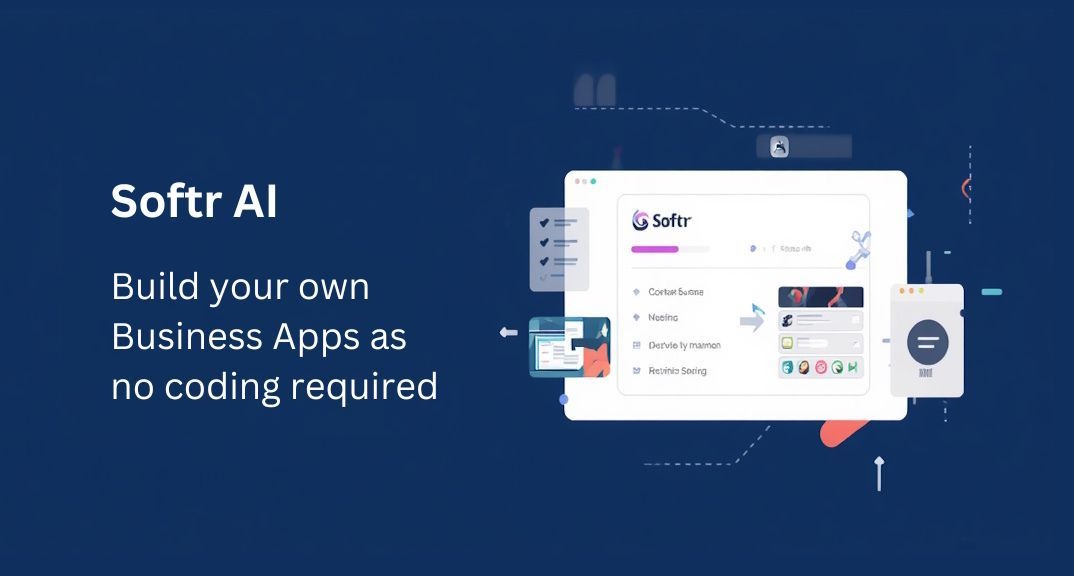
      I recently stubbled across Softr which is an AI solution that allows you to create business apps without the need for coding and expensive web developers.

      It is a data-driven platform with over 90 prebuilt templates for creating client portals, CRMs, inventories and other usefulweb apps that are drag and drop, so anyone can use them.

      Ideally suited to Agencies, consultants and businesses that need to handle data in some capacity.

      I am looking for new solutions for my business so let’s take a deep dive into what it can can can not offer.

      What Softr Actually Is

      It says it is the first AI platform for business apps. That is an appliation that provides a specific service to users within the organisations, or outside also.

      Traditionally, a business app is built by software developers and sold to a busines at a premium.

      The integrations are insane, I think you can integrate with practically any software such as Hubspot, Xero, Stripe, Zapier, Gmail and many more.

      There are over 90 pre built templates you can fully brand and use.

      AI app generator from text prompts, see more below.

      Key Features (Relevant to Marketing Agencies)

      1. Client Portals (Big Win)

      You can build branded portals where clients:

      • Log in securely
      • View campaign performance
      • Download reports
      • Submit requests

      This replaces messy email threads or PDFs.

      2. Internal Dashboards

      Track:

      • Leads
      • Campaign progress
      • KPIs

      All pulled from a central data source like Airtable.

      3. Membership Sites

      Great if you:

      • Sell courses
      • Run communities
      • Offer premium content

      4. Simple Websites & Landing Pages

      Yes, Softr can build websites—but:

      • It’s not as flexible as WordPress
      • Not ideal for heavy SEO blogging

      How AI fits in to the process

      Softr itself isn’t a deep AI builder like:

      • Wix (AI site generator)
      • Framer (AI layout generation)

      Instead, AI comes in through:

      • Content generation (via tools like ChatGPT)
      • Automation via integrations like Zapier or Make

      So Softr = structure + logic, not AI design magic.

      Softr vs WordPress (Real Talk)

      Where Softr Wins
      • Faster to build portals/apps
      • No plugin chaos
      • Built-in user authentication
      • Clean, modern UI out of the box
      • Less maintenance
      Where WordPress Still Wins
      • Blogging & SEO (huge gap)
      • Full design flexibility
      • Massive plugin ecosystem
      • Complex marketing sites

      How It Can Help Your Digital Marketing Business

      Here’s where Softr shines for you:

      1. Replace Client Reporting PDFs

      Create live dashboards instead of sending reports:

      • “Here’s your login”
      • Real-time metrics
      • Feels premium → justifies higher retainers

      2. Build a Client Hub

      One place for:

      • Campaign updates
      • Files
      • Communication
      • Requests

      This alone can differentiate your agency.

      3. Productize Your Services

      Turn services into systems:

      • SEO tracker dashboards
      • Ad performance portals
      • Lead tracking systems

      4. Internal Efficiency

      Track:

      • Tasks
      • Campaign stages
      • Team performance

      Without needing devs.

      Drawbacks and frustrations

      Be aware of these limitations:

      • Not ideal for content-heavy marketing sites
      • SEO control is basic compared to WordPress
      • Design customization has limits
      • Relies on external databases (Airtable, etc.)

      If you want to heavily modify then there maybe limitations.

      Best Stack for You (If You Switch)

      A strong modern setup could be:

      • Frontend / portals: Softr
      • Database: Airtable
      • Main marketing site:
        • Webflow or
        • Framer
      • Automation: Zapier or Make
      • AI content: ChatGPT

      This hybrid approach is what most smart agencies are doing.

      Conclusion

      Softr is a business system builder, it is not suitable to build business websites with blog posts and a full marketing resource.

      The system is built to be used for:

      • Client portals
      • Dashboards
      • Internal tools

      It can seriously level up your agency.

      The platform has been designed to be used by everyone as it is easy to learn and manage. Softr is responsive to enquiries and the system offers extensive solutions so you could utilize this for things.

      It is quite beneficial to read the reviews on Trustpilot.